
-
 Infinity Media
- 2 Min Read
How To Set Up Uba Internet Banking In Nigeria (Step-By-Step Guide)
UBA Internet Banking allows you to manage your bank account online without visiting a branch. Whether you want to check your balance, transfer money, or pay bills, UBA’s online banking platform makes it easy to bank anytime, anywhere.
In this guide, you’ll learn how to set up UBA internet banking in Nigeria, the requirements you need, and how to resolve common setup issues.
What Is UBA Internet Banking?
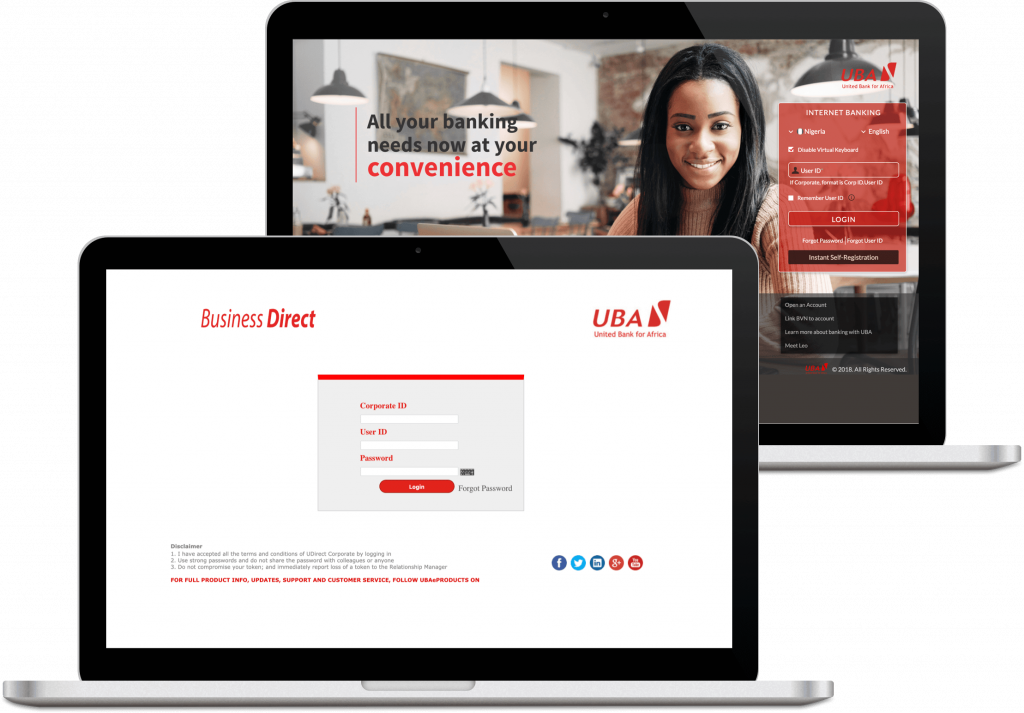
UBA Internet Banking is an online platform that lets UBA customers perform banking transactions through a web browser. Unlike the mobile app, it can be accessed on computers, tablets, and smartphones without installing an app.
It’s ideal for users who prefer banking on a larger screen or handling business transactions online.
Requirements for Setting Up UBA Internet Banking
Before starting the setup process, ensure you have:
-
An active UBA account
-
Your UBA debit card
-
A valid email address
-
A registered phone number linked to your UBA account
-
Internet access via phone or computer
Step-by-Step Process to Set Up UBA Internet Banking
Follow these steps carefully:
Step 1: Visit the UBA Internet Banking Website
Open your browser and go to UBA’s official internet banking portal.
Step 2: Click on “Register”
On the login page, select the Register option to begin your account setup.
Step 3: Choose Account Type
Select whether you’re registering as an individual or corporate customer.
Step 4: Enter Your Account and Card Details
Provide the required details, including:
-
UBA account number
-
Debit card number
-
Card expiry date
-
Card PIN (where required)
Step 5: Verify with OTP
An OTP (One-Time Password) will be sent to your registered phone number or email. Enter it to confirm your identity.
Step 6: Create Your Login Details
Set up:
-
A username
-
A strong password
-
Security questions (if prompted)
Make sure your password is unique and secure.
Step 7: Complete Registration and Log In
Submit your details to complete registration, then log in using your new credentials.
What You Can Do with UBA Internet Banking
Once your setup is complete, you can:
-
Check your account balance
-
Transfer money within and outside UBA
-
View transaction history
-
Pay utility bills and subscriptions
-
Manage beneficiaries
Common Problems and How to Fix Them
OTP Not Received
-
Ensure your phone has network signal
-
Wait a few minutes and retry
-
Confirm your registered phone number
Login Issues
-
Double-check your username and password
-
Use the “Forgot Password” option if needed
Registration Fails
-
Confirm your card and account details
-
Try again later if the system is busy
UBA Internet Banking Security Tips
-
Never share your login details
-
Use a strong password
-
Log out after each session
-
Avoid using public computers for banking
How to Get Help If You’re Stuck
If you encounter any issues:
-
Contact UBA customer care
-
Visit the nearest UBA branch
-
Use the support section on the internet banking portal
Final Thoughts
Setting up UBA internet banking in Nigeria is simple if you follow the right steps. Once activated, it gives you full control of your account online, saving you time and reducing the need for branch visits.
If you prefer online banking on a computer or larger screen, UBA internet banking is a great option.