
-
 Infinity Media
- 5 Min Read
How To Open An Ecobank Nigeria Bank Account: Step By Step Guide | Infinity Media
Opening a bank account with Ecobank Nigeria is easier today than ever before. Whether you’re a student, a working professional, a business owner, a non-resident Nigerian, or simply someone seeking a digital banking experience, Ecobank offers several ways to start your banking journey both physically and digitally.
In this guide, we’ll walk you through everything you need to know — from the types of accounts available and documentation requirements to step-by-step account opening processes and practical tips to ensure a smooth experience.
Why Open an Ecobank Nigeria Account?
Ecobank Nigeria is part of the wider Ecobank Group, a leading pan-African banking institution with operations across more than 30 African countries. The bank combines a strong physical branch presence with modern digital banking solutions, making it a reliable choice for individuals and businesses alike.
With an Ecobank Nigeria account, customers enjoy access to everyday banking services such as savings and current accounts, mobile and internet banking platforms for easy transactions, and digital account options that allow instant onboarding with minimal paperwork. The bank also provides international and diaspora banking services, making cross-border transactions more convenient.
Whether your goal is to save money, receive salaries, send or receive funds, manage business transactions, or bank entirely on your mobile phone, Ecobank offers secure and flexible solutions to meet your financial needs.
Types of Accounts You Can Open
Before opening an account, it’s important to understand the options available so you can choose what best suits your lifestyle and financial goals.
Savings and Current Accounts
These are traditional bank accounts designed for daily transactions, salary payments, savings, transfers, and debit card usage. Ecobank offers several variations of savings accounts, including classic, student, advantage, and premier savings accounts. Each option comes with specific benefits such as access to debit cards, mobile banking, and online banking services.
Ecobank Xpress Account
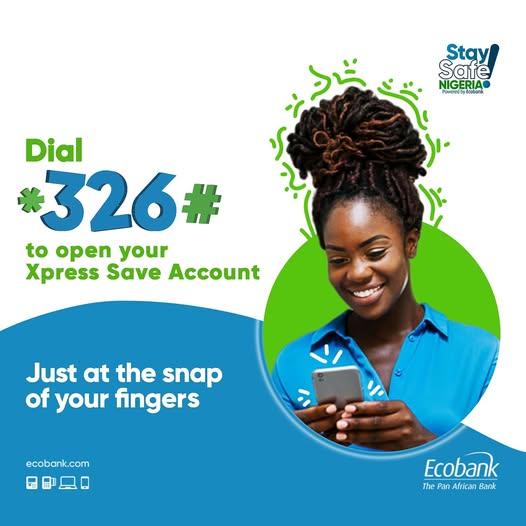
The Ecobank Xpress Account™ is ideal for customers who want a fast, digital-first banking solution. This account can be opened instantly using your mobile phone or USSD code without visiting a bank branch. In many cases, it requires minimal documentation, making it especially popular among young people and mobile-first users.
Diaspora Banking Accounts
These accounts are designed for Nigerians living abroad or non-residents who want full banking access in Nigeria. Diaspora accounts support savings and current accounts, multi-currency options, remittances, and online banking services, allowing customers to manage their finances from anywhere in the world.
Requirements to Open a Regular Bank Account
If you plan to open a standard savings or current account as a resident in Nigeria, you will typically need the following:
a) Basic Documents
-
A completed account opening form
-
A valid government-issued ID such as a National ID card, International Passport, Driver’s License, or Voter’s Card
-
Proof of address, such as a recent utility bill or tenancy agreement
-
Two recent passport photographs
-
A mandate card for signatory or authorization details
-
An employer’s letter for salary accounts (where applicable)
For non-resident or diaspora customers, additional documentation such as proof of earnings, notarised documents, or tax-related information may be required.
Step-by-Step: Opening a Regular Account at a Branch
If you prefer face-to-face banking, opening an account at an Ecobank branch is straightforward.
Step 1: Visit a Branch
Visit any Ecobank branch close to you. While walk-ins are generally accepted, contacting the branch ahead of time can help speed up the process.
Step 2: Request Account Opening Forms
Ask for the appropriate account opening forms based on the account type you want.
Step 3: Complete the Forms
Fill in all required information accurately, including your personal details, contact information, and occupation.
Step 4: Submit Required Documents
Submit your completed forms along with your identification, proof of address, passport photographs, and BVN.
Note: The Bank Verification Number (BVN) is mandatory for operating a bank account in Nigeria. If you don’t have one, you may be required to enrol before your account is activated.
Step 5: Verification and Approval
The bank will review and verify your documents. This process may take a few hours to a couple of days, depending on completeness.
Step 6: Receive Your Account Details
Once approved, you will receive your account number and can request a debit card and digital banking access.
Opening an Ecobank Xpress Account Instantly
For customers who prefer convenience and speed, the Ecobank Xpress Account offers instant onboarding.
Via USSD (No Internet Required)
Dial *326# on your mobile phone, select the option to open an Xpress Account, follow the prompts, enter your personal details, and create a secure six-digit PIN. Your account is usually ready immediately.
This account allows you to receive and send money, buy airtime, pay bills, and perform basic banking transactions without visiting a branch.
Via the Ecobank Mobile App
Download the Ecobank Mobile App from your device’s app store, register as a new user, select the option to open an Xpress Account, and follow the on-screen instructions. Once completed, you can manage your account entirely from your phone.
How to Complete KYC and BVN
After opening your account, you may need to complete Know Your Customer (KYC) requirements. This involves verifying your identity and linking your BVN to your Ecobank account.
If your BVN is already linked to another bank, it can still be connected to your Ecobank account. This process can usually be completed at a branch or through approved digital channels.
Keeping your BVN and National Identification Number (NIN) updated ensures uninterrupted access to banking services such as transfers, withdrawals, and card usage.
After Your Account Is Opened: What Next?
Once your account is active, you should:
-
Activate mobile and internet banking
-
Request and collect your debit card
-
Set up transaction alerts for security
-
Update your contact details where necessary
These steps will help you get the most out of your Ecobank account.
Common Mistakes to Avoid
To prevent delays or restrictions:
-
Ensure your BVN and NIN are properly linked
-
Use an active phone number tied to your identity documents
-
Double-check all forms before submission
-
Prepare additional documents if you are a non-resident or diaspora customer
Final Thoughts
Opening an Ecobank Nigeria bank account is now more flexible and accessible than ever. Whether you choose to visit a branch or open a digital account in minutes, Ecobank provides reliable tools to help you manage your finances confidently.
With the right documents, a valid BVN, and access to mobile or internet banking, your journey into modern banking with Ecobank can be smooth, secure, and rewarding.