
-
 Infinity Media
- 3 Min Read
How To Block Your Firstbank Account In Nigeria (All Methods Explained)
If you suspect fraud, lose your phone or ATM card, or notice any unusual activity on your account, blocking your FirstBank account immediately is one of the smartest steps you can take to protect your money. FirstBank provides several reliable ways to block your account quickly, even if you don’t have internet access.
In this guide, you’ll learn all the methods to block a FirstBank account in Nigeria, when to use each option, and how to unblock your account later.
Why You May Need to Block Your FirstBank Account
You should consider blocking your account if:
-
Your phone is lost or stolen
-
Your ATM card is missing or compromised
-
You notice unauthorized transactions
-
Your online banking details are exposed
-
You want to prevent further transactions temporarily
Acting fast can prevent financial loss.
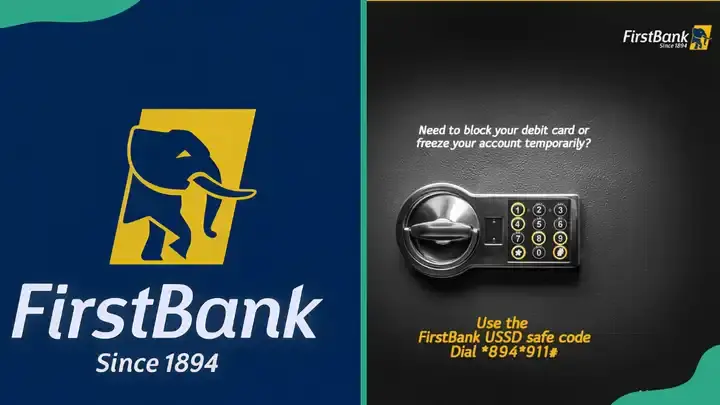
Method 1: Block FirstBank Account Using USSD Code (Fastest Method)
This is the quickest way to block your FirstBank account, especially if you don’t have internet access.
Steps
-
Dial
*894*911#on the phone number linked to your FirstBank account -
Follow the on-screen instructions
-
Confirm the action
Once completed, your account will be restricted immediately.
✅ Works on all mobile phones
✅ No internet required
Method 2: Block Your FirstBank Account via Customer Care
You can contact FirstBank customer support to request an immediate account block.
How to Reach FirstBank Customer Care
-
Dial 0700FIRSTCONTACT (0700 34778 2668228)
-
Follow the prompts to speak with a representative
Be ready to provide verification details before the block is processed.
Method 3: Block Your Account Through the FirstBank Mobile App
If you still have access to the FirstBank Mobile App (FirstMobile), you can block your account from within the app.
Steps
-
Open the FirstBank Mobile App
-
Log in to your account
-
Navigate to Settings or Security
-
Select Block Account or Restrict Account
-
Confirm using your PIN or OTP
Your account will be restricted immediately.
Method 4: Visit a FirstBank Branch
If you prefer face-to-face assistance or cannot access your phone:
-
Visit the nearest FirstBank branch
-
Present a valid means of identification
-
Request immediate account blocking
This method is useful for complex or sensitive cases.
Method 5: Block Your ATM Card Separately (Optional)
If the issue is only your debit card and not the entire account:
-
Use USSD or the FirstBank mobile app to block just the card
-
This allows you to protect the card without restricting incoming funds
What Happens After You Block Your FirstBank Account?
Once blocked:
-
All transfers and withdrawals stop
-
ATM, POS, and online transactions are disabled
-
Your money remains safe in the account
Blocking is a temporary security measure, not a permanent closure.
How to Unblock Your FirstBank Account
To restore access:
-
Contact FirstBank customer care
-
Visit a FirstBank branch for verification
-
Follow the bank’s identity confirmation process
Unblocking usually requires proper identification for security reasons.
Important Things to Know
-
Blocking your account is usually free
-
Incoming transfers may also be restricted until unblocked
-
FirstBank staff will never ask for your PIN or OTP
-
Always unblock your account once the issue is resolved
Frequently Asked Questions (FAQs)
Can I block my FirstBank account without internet?
Yes. The USSD method works without internet access.
How fast is the account blocked?
Blocking is usually immediate.
Will my money be lost after blocking my account?
No. Your funds remain safe and untouched.
Can I unblock my account online?
In most cases, unblocking requires customer care or a branch visit.
Final Thoughts
Blocking your FirstBank account is a quick and effective way to protect your finances during emergencies. Whether you use USSD, customer care, the mobile app, or a branch visit, FirstBank provides multiple options to secure your account instantly.
If you notice anything suspicious, don’t wait—block first, then resolve later.