
-
 Infinity Media
- 3 Min Read
How To Block Or Disable Private Numbers On All Networks In Nigeria
Receiving calls from private or unknown numbers can be frustrating, annoying, and sometimes even scary—especially when the calls are frequent or suspicious. If you’re tired of seeing “Private Number” or “Unknown Caller” on your phone screen, the good news is that there are effective ways to block or disable such calls across all mobile networks in Nigeria.
In this guide, you’ll learn practical and working methods to stop private numbers from calling you, whether you’re using MTN, Airtel, Glo, or 9mobile.
What Are Private or Unknown Numbers?
Private numbers are calls where the caller has deliberately hidden their caller ID. Instead of showing a phone number, your screen displays:
-
Private Number
-
Unknown Caller
-
No Caller ID
People hide their numbers for privacy reasons, but unfortunately, scammers and prank callers also abuse this feature.
Can You Completely Disable Private Numbers in Nigeria?
There is no universal network-wide USSD code in Nigeria that blocks all private numbers permanently on every network. However, you can effectively stop these calls using:
-
Phone settings
-
Call-blocking features
-
Network support
-
Third-party apps
Let’s break down each method clearly.
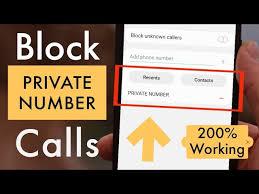
Method 1: Block Private Numbers Using Phone Settings (Recommended)
Most modern smartphones come with built-in options to block unknown or private callers.
On Android Phones
-
Open the Phone app
-
Tap the three dots (⋮) in the top corner
-
Go to Settings
-
Tap Blocked Numbers or Call Blocking
-
Enable Block Unknown Callers or Block Private Numbers
Once activated, your phone will automatically reject calls from hidden numbers.
On iPhone (iOS)
-
Open Settings
-
Tap Phone
-
Select Silence Unknown Callers
-
Toggle it ON
Private or unknown numbers will be silenced and sent straight to voicemail.
⚠️ Note: These calls won’t ring, but they’ll still appear in your call log.
Method 2: Use Network Customer Care Support
Some Nigerian networks can restrict private number calls on request, depending on your line type and usage.
How to Contact Customer Care
-
MTN: Dial 180
-
Airtel: Dial 111
-
Glo: Dial 121
-
9mobile: Dial 200
Tell the representative you want to block incoming private or unknown calls. Availability may vary, and in rare cases, a service fee may apply.
Method 3: Use Third-Party Call Blocking Apps
If your phone doesn’t support private number blocking natively, third-party apps can help.
Popular options include:
-
Truecaller
-
Call Control
-
Hiya
-
Calls Blacklist
Benefits
-
Automatically blocks private numbers
-
Identifies spam callers
-
Works across all Nigerian networks
⚠️ Always download apps from the Google Play Store or Apple App Store and review permissions carefully.
Method 4: Enable Do Not Disturb (DND) with Exceptions
This is a smart workaround if private calls mostly come at odd hours.
How It Works
-
Enable Do Not Disturb
-
Allow calls only from saved contacts
-
All unknown and private numbers will be silenced
This method is effective for nighttime or work hours.
Method 5: Block Private Numbers Individually (Limited)
Unfortunately, you cannot block a specific private number permanently because the number is hidden. However, once the caller reveals their number in future calls, you can block it normally.
Important Things to Know
-
Some emergency or official calls may come through even if private numbers are blocked
-
Blocking private numbers may cause you to miss legitimate calls from businesses
-
Network operators can still trace private calls if necessary
How to Allow Private Numbers Again
If you ever change your mind:
-
Turn off Block Unknown Callers in phone settings
-
Disable Silence Unknown Callers on iPhone
-
Remove third-party call-blocking apps
Frequently Asked Questions (FAQs)
Can I block private numbers without an app?
Yes. Most Android and iPhone devices allow this through phone settings.
Is there a USSD code to disable private numbers?
No official USSD code exists across Nigerian networks for this purpose.
Does blocking private numbers cost money?
No. Phone-based methods are free. Some apps may offer paid features.
Will blocked calls still appear in call logs?
Yes, on most phones they will show as missed or silenced calls.
Final Thoughts
Private and unknown calls can be disturbing, but you don’t have to tolerate them. While Nigerian networks don’t provide a universal USSD solution, phone settings and call-blocking apps remain the most reliable ways to disable private numbers across all networks.
For best results, combine your phone’s built-in blocking features with a trusted call-blocking app.